Cubistand
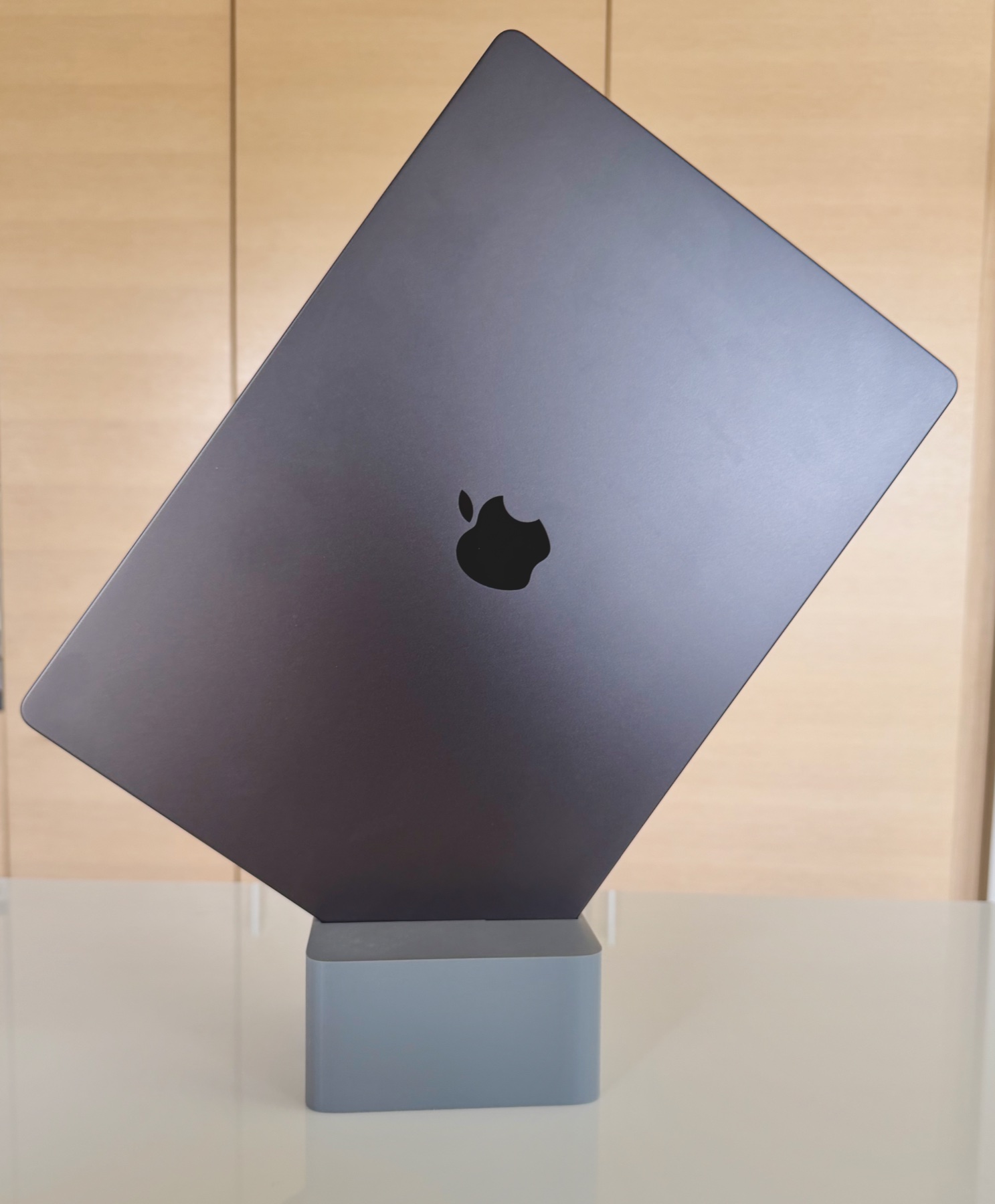
Closed and upright.
That’s the whole thing.
A small pedestal that holds your closed MacBook Pro at a forward-leaning angle, so the laptop disappears from your desk but not from the room. Version 1.1 (CS-1.1), 3D-printed in PLA. Made in Finland, one at a time.
The angle
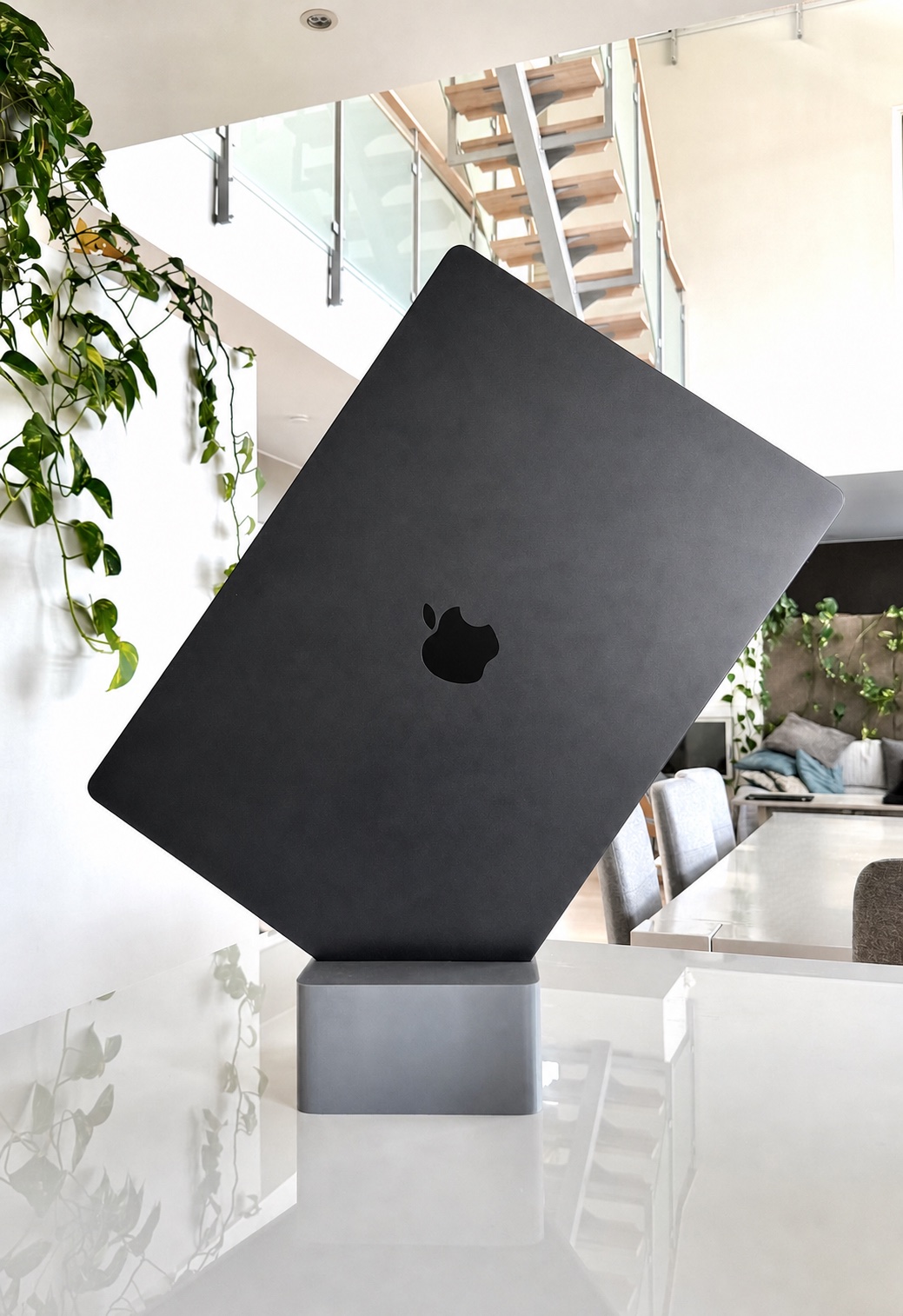
Tilted, not flat.
Chosen on purpose.
It holds the laptop on its corner and leans it toward the room, not away from it.
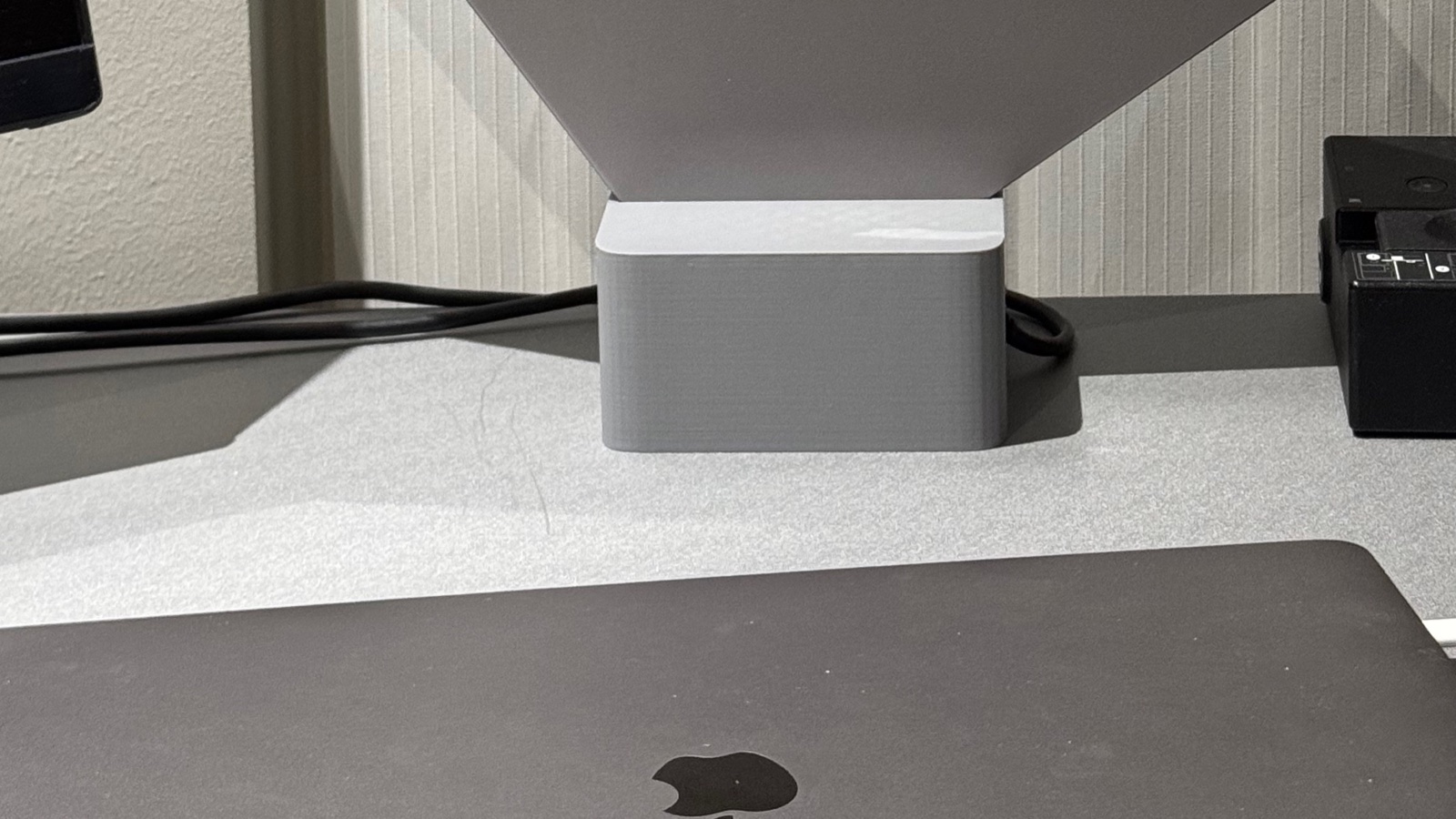
Running out of desk space, not computers.
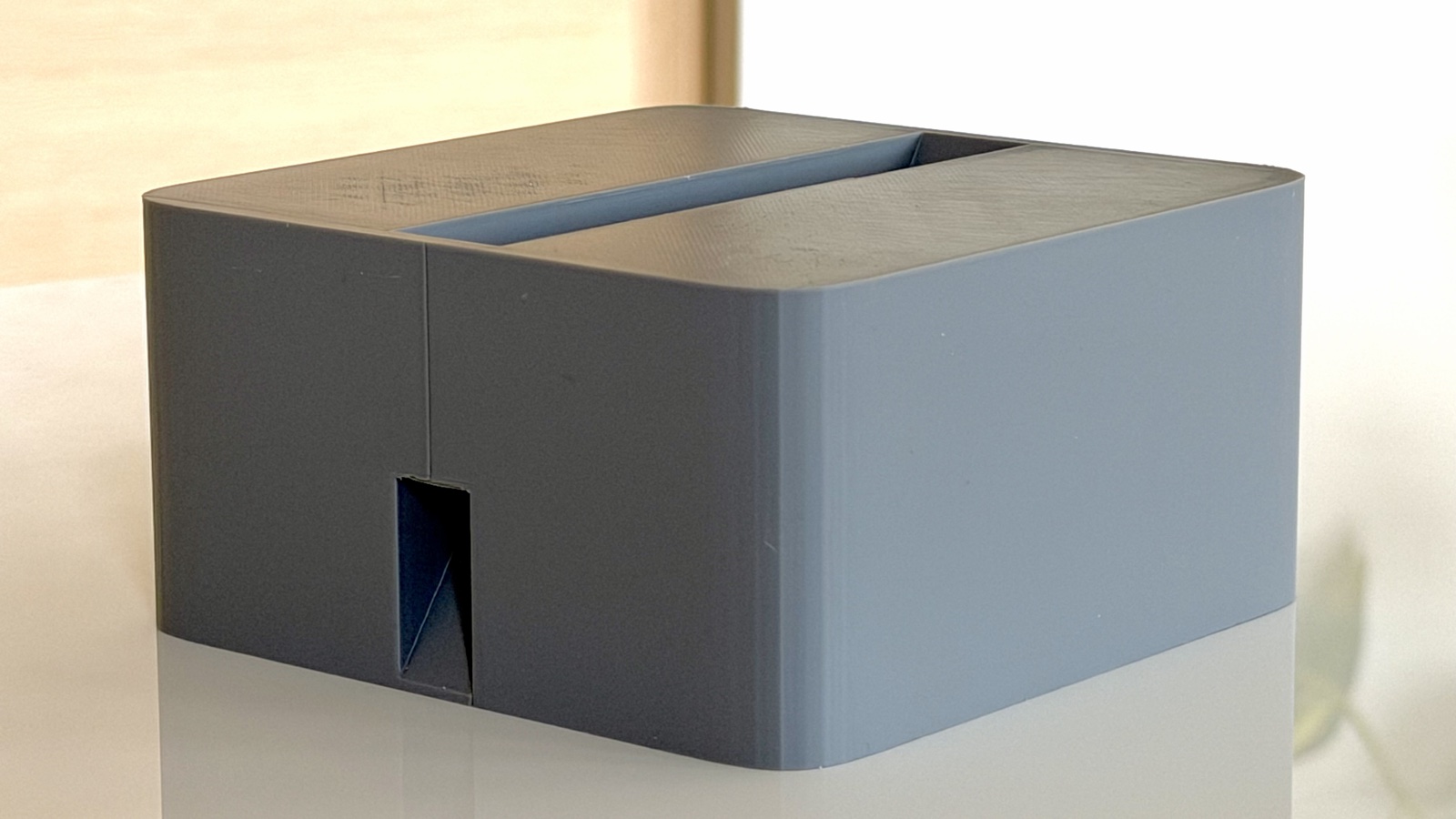
A slot across the top. A small cable pass-through on the front.
How it’s made
Printed in Finland.
One at a time.
Each Cubistand is 3D-printed in PLA on a Bambu Lab printer in Finland, one at a time.
The layer lines stay visible. We don’t hide that.
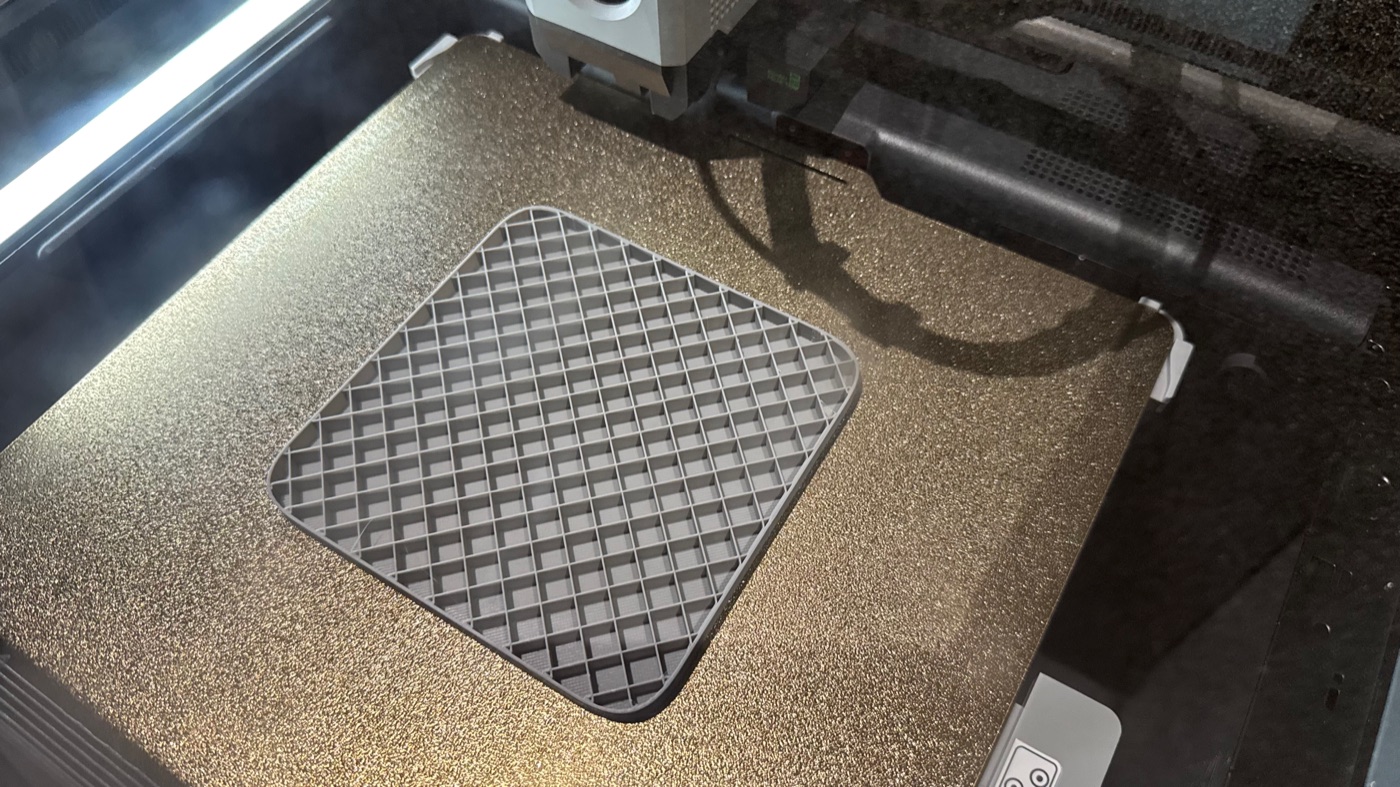
On the printer bed, mid-print.
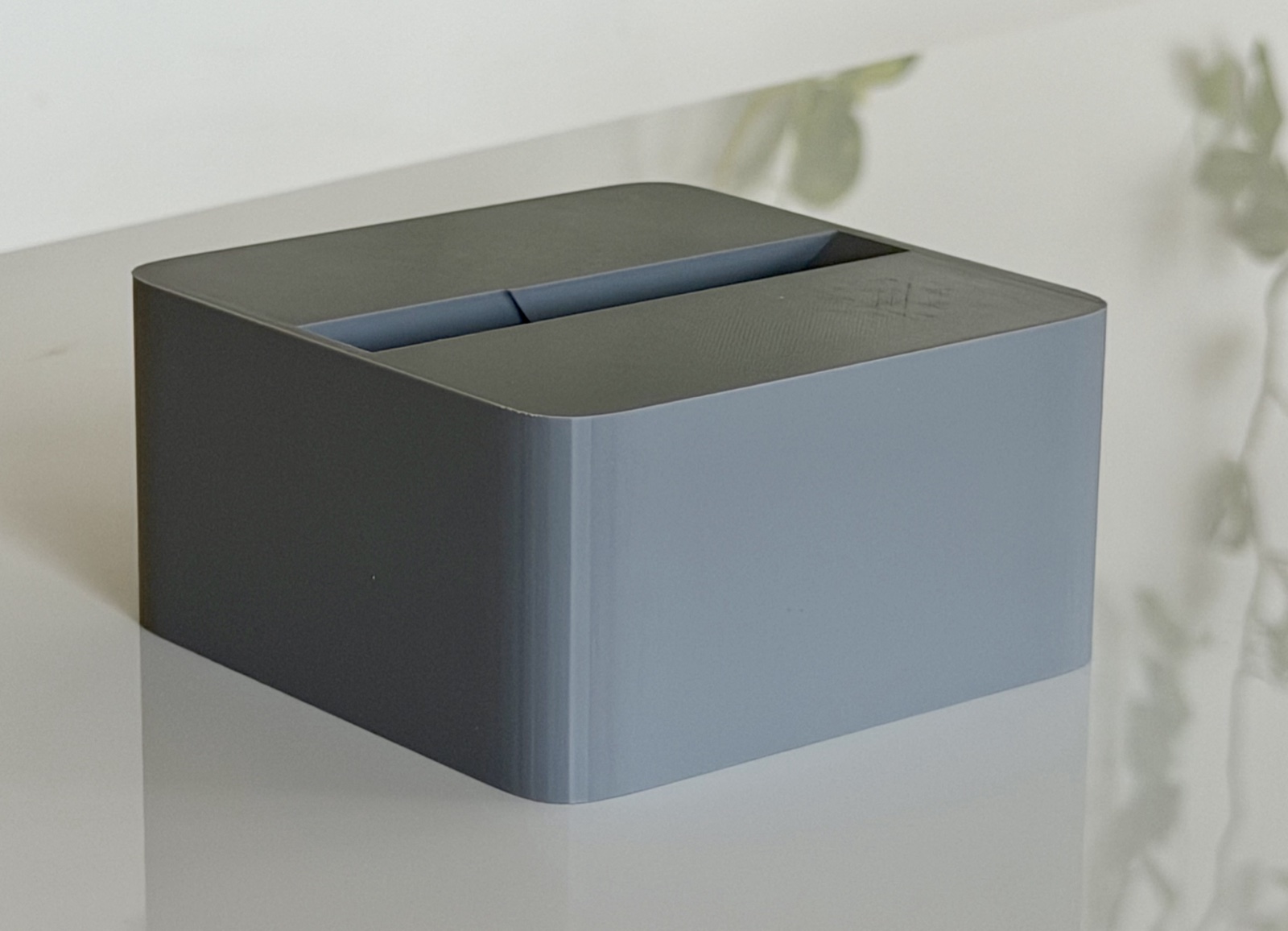
Color
Gray, as pictured.
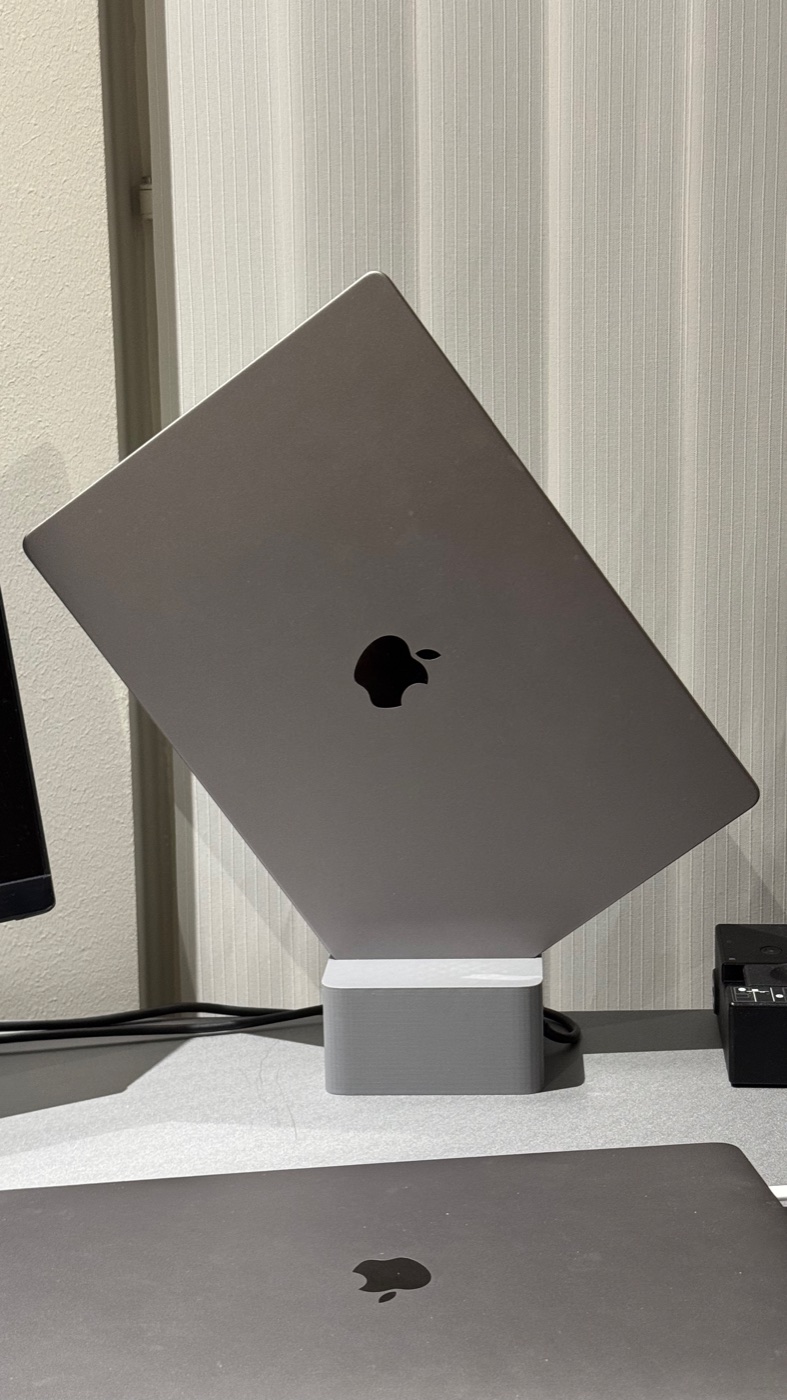
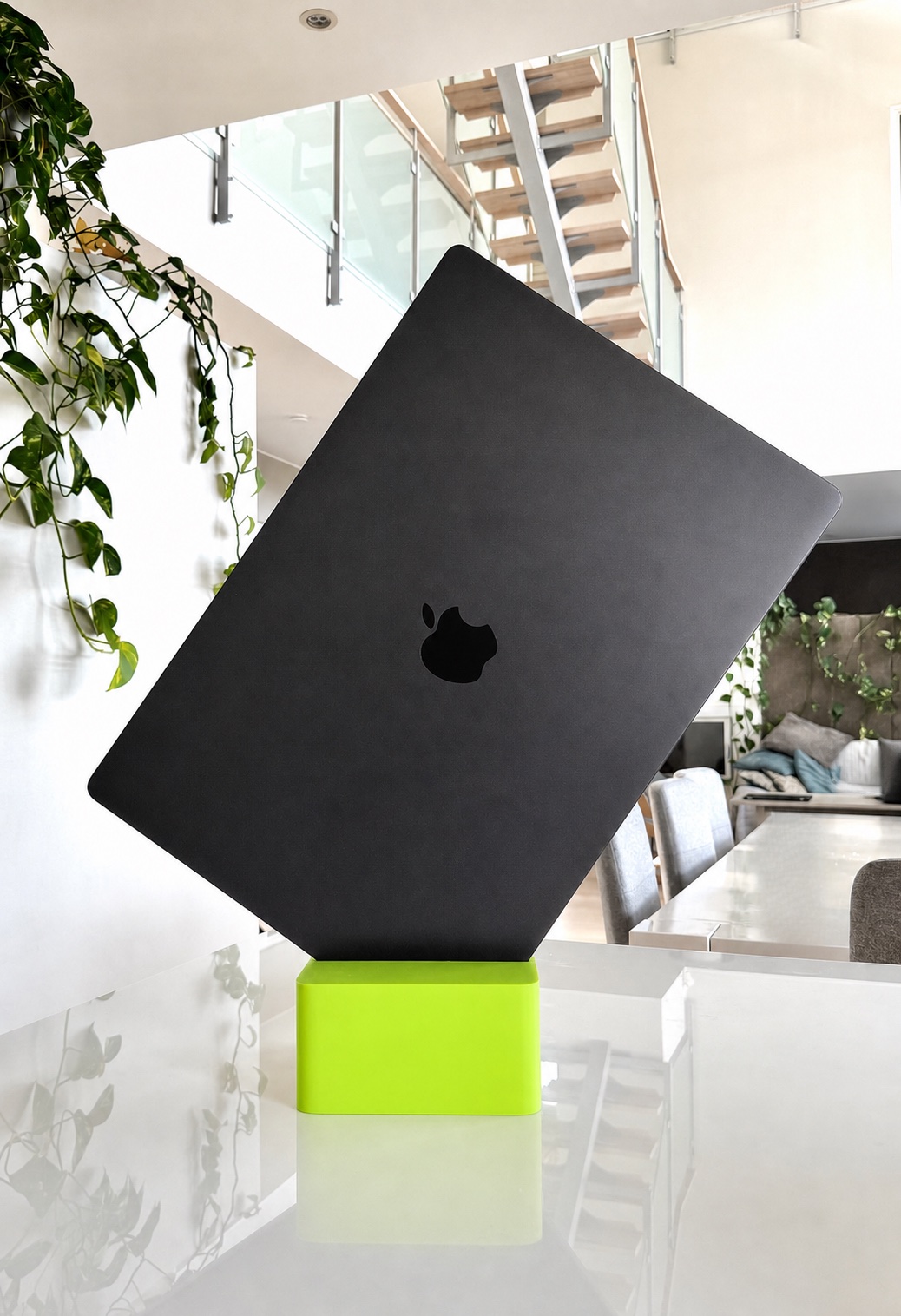
All other photos on this page show the gray stand as printed.
Specifications
The details.
- Model
- cubistand, version 1.1 (CS-1.1)
- Dimensions
- 120 × 120 × 60 mm
- Slot width
- 20 mm
- Weight
- approx. 160 g
- Designed for
- MacBook Pro 14″ and 16″, closed, without a hard-shell case
- Material
- PLA
- Color
- Gray
- Made in
- Finland
- Shipping
- Ships to mainland Finland only
- Defects
- Statutory liability for defects under Finnish consumer law, see terms
- Questions
- [email protected]
Order
69 €.
Incl. VAT, free shipping in mainland Finland. Ships to mainland Finland only. Made to order, ships within 10 business days. Statutory liability for defects under Finnish consumer law, see terms.
Buy now
Checkout, payment and delivery are handled in our shop at shop.cubistand.com. You get an order confirmation by email.
Buy nowQuestions
About fit, color, delivery or anything else. We reply within 5 business days.
[email protected]Safety
Read before use.
Safety and use
For a closed MacBook Pro 14″ or 16″ without a hard-shell case, up to 2.2 kg. The stand and laptop form a tall, narrow unit: a light knock or a pull on a cable can tip it or roll the laptop out of the slot. The laptop can fall and injure a hand or foot, and be damaged. Place it on a level, stable, dry surface at least 50 cm from the desk edge, put the laptop in the right way round, and route cables so they cannot be pulled. Place the laptop with its hinge edge at the top and the opening edge in the slot. Do not lean on or put anything on the laptop. Keep away from heat (max 40 °C) and out of the reach of children; small parts can be a choking hazard.
Turvallisuus ja käyttö
Suljetulle MacBook Pro 14″ tai 16″ -koneelle ilman kovakuorta, enintään 2,2 kg. Teline ja kone ovat korkea ja kapea kokonaisuus: kevyt isku tai kaapelin veto voi kaataa telineen tai kiertää koneen ulos raosta. Kone voi pudota, vahingoittaa kättä tai jalkaa ja vaurioitua. Aseta tasaiselle, vakaalle ja kuivalle alustalle vähintään 50 cm:n päähän pöydän reunasta, aseta kone oikein päin ja ohjaa kaapelit niin, ettei niistä voi vetää. Aseta kone niin, että saranareuna on ylhäällä ja avautuva reuna raossa. Älä nojaa koneeseen äläkä aseta mitään sen päälle. Pidä kaukana lämmöstä (enintään 40 °C) ja lasten ulottumattomissa; pienet osat voivat aiheuttaa tukehtumisvaaran.
Säkerhet och användning
För en stängd MacBook Pro 14″ eller 16″ utan hårt skal, högst 2,2 kg. Stället och datorn bildar en hög och smal enhet: en lätt knuff eller ett drag i en sladd kan få stället att välta eller datorn att vridas ut ur skåran. Datorn kan falla, skada en hand eller fot och gå sönder. Placera stället på ett jämnt, stabilt och torrt underlag minst 50 cm från bordskanten, placera datorn åt rätt håll och dra sladdarna så att ingen kan dra i dem. Placera datorn med gångjärnskanten uppåt och öppningskanten i skåran. Luta dig inte mot datorn och placera inget ovanpå. Håll borta från värme (högst 40 °C) och utom räckhåll för barn; små delar kan medföra kvävningsrisk.
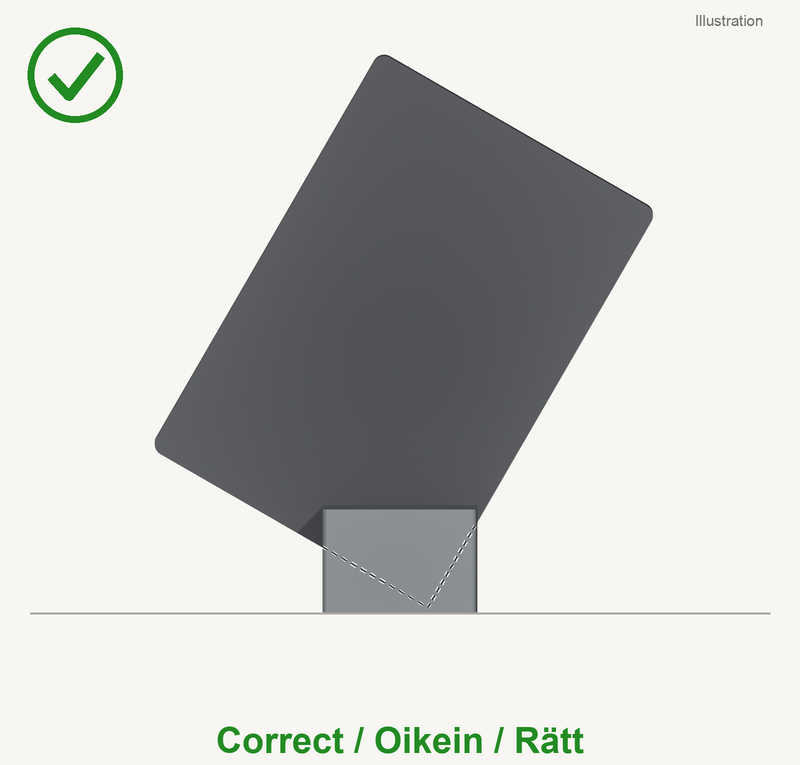
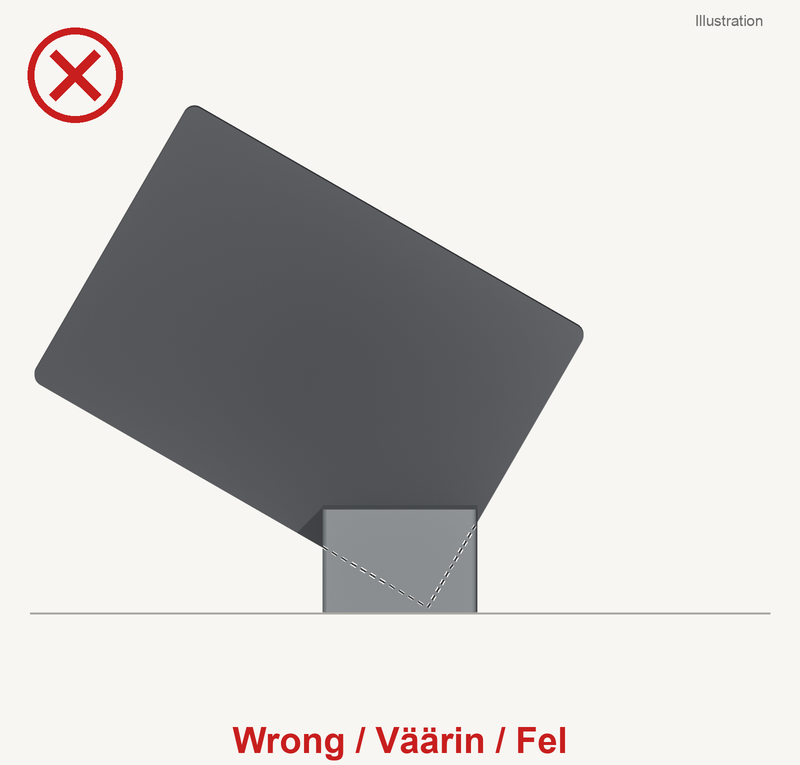
Full safety information in English, Finnish and Swedish: Safety / Turvallisuus / Säkerhet. Report accidents and safety problems to [email protected].